

Type a line. It's a diagram.
API -reads-> DB is already a diagram. Add a line and the picture grows; change one and it redraws. There is no render button, and the same few words cover 50 chart types.
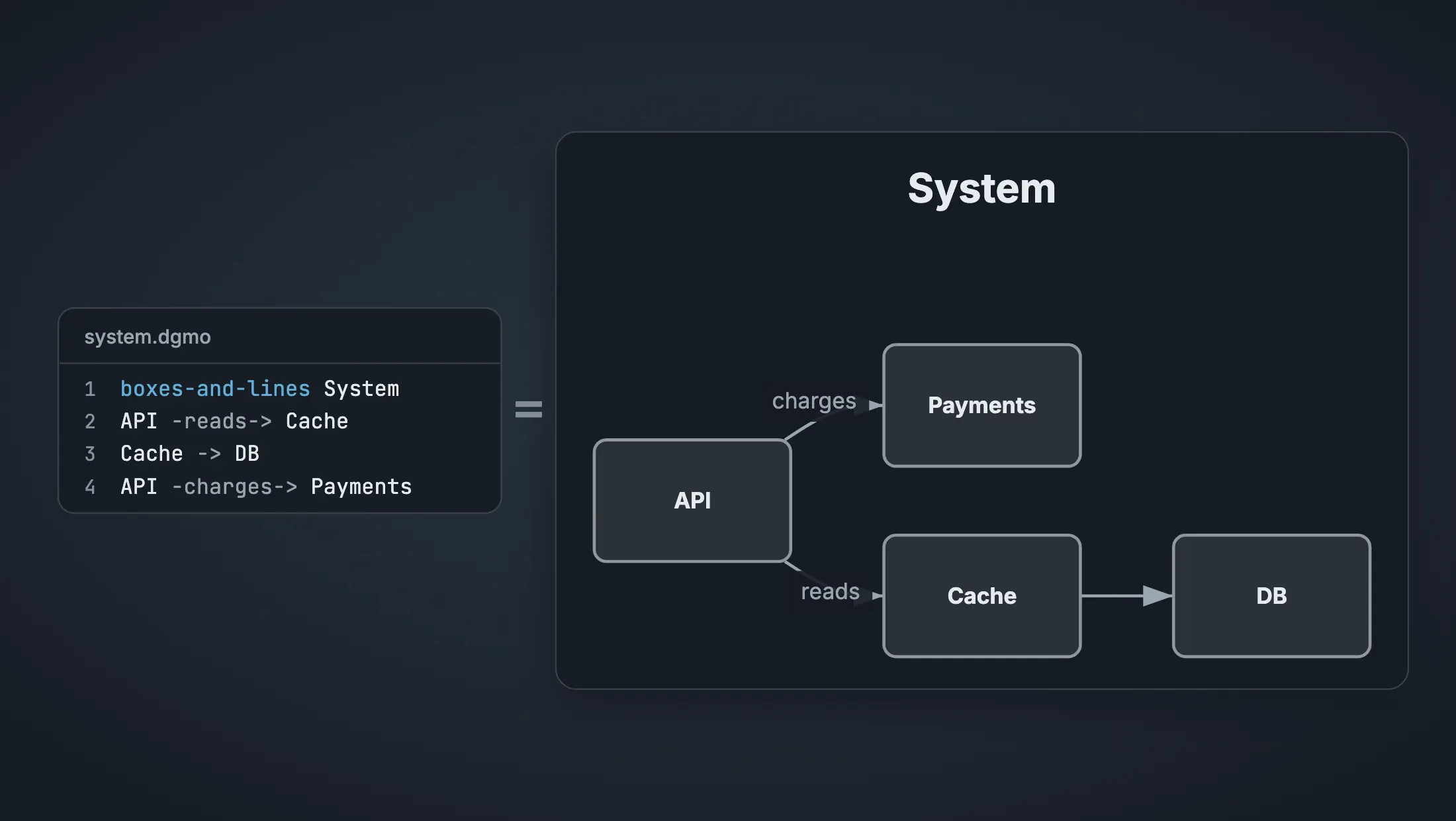
A few readable lines are a diagram, in any of 50 chart types.
No account, and nothing to install to try it.
Type a few readable lines and they're the diagram. Share it on the web, and every copy follows your next edit.
sequence Checkout

User -Pay-> App
App -Charge card-> Stripe
Stripe -OK-> App
App -Receipt-> UserDiagrammo is made for a keyboard. Send yourself the link and pick it up at your desk.
A few lines each
boxes-and-lines System

Web -calls-> API
API -reads-> DB
API -charges-> Paymentsbar Where the week went
Meetings 14
Building 18
Reviews 6
Email 450 chart types in all, from timelines to maps.
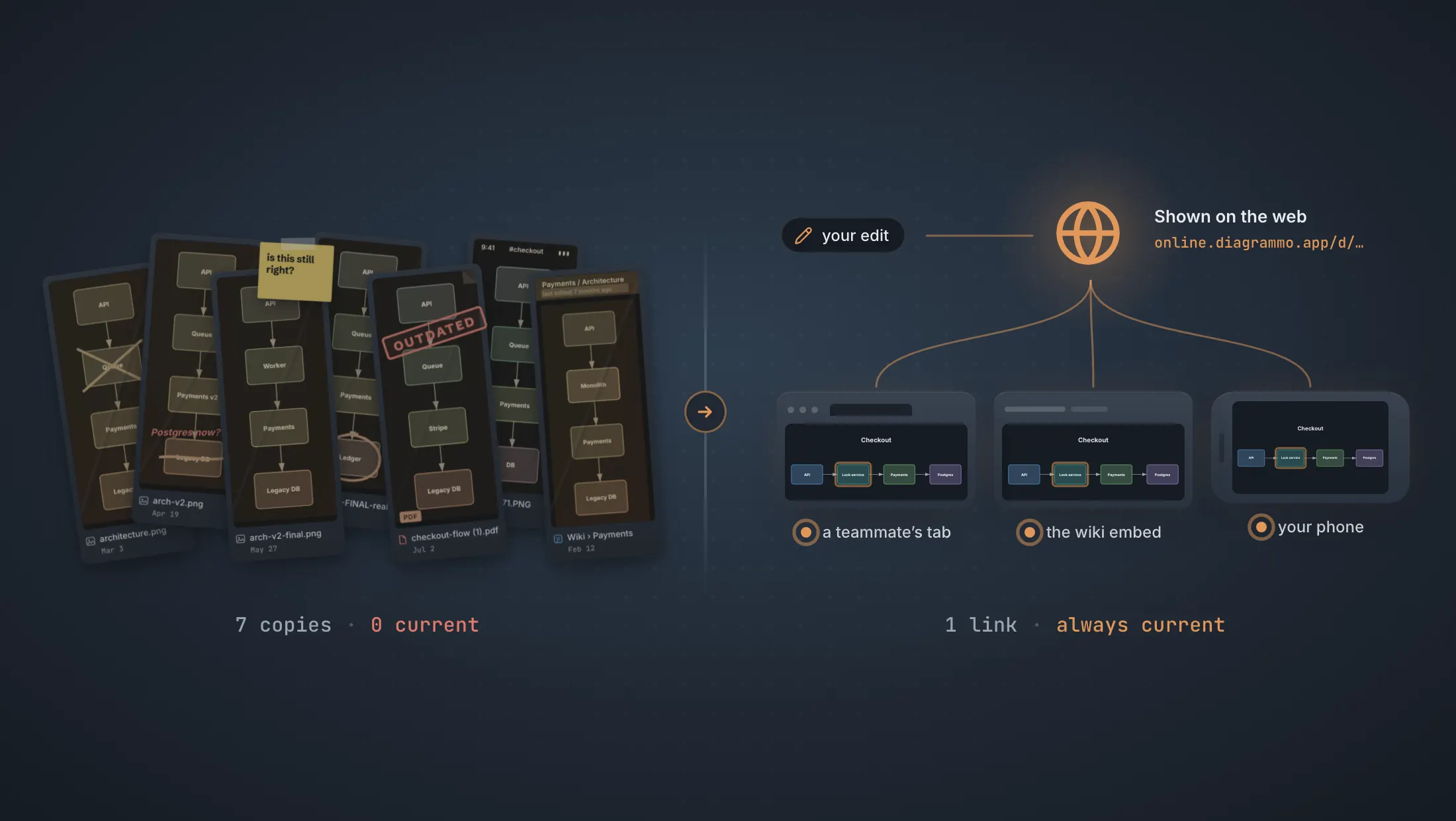
Seven copies in seven places, and none of them current.
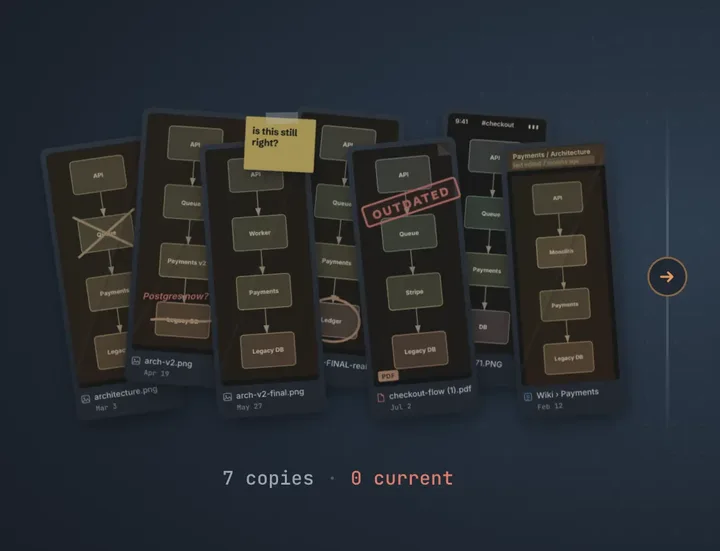
Or one link that's always current. The wiki, the deck and a teammate's tab all show your latest edit.
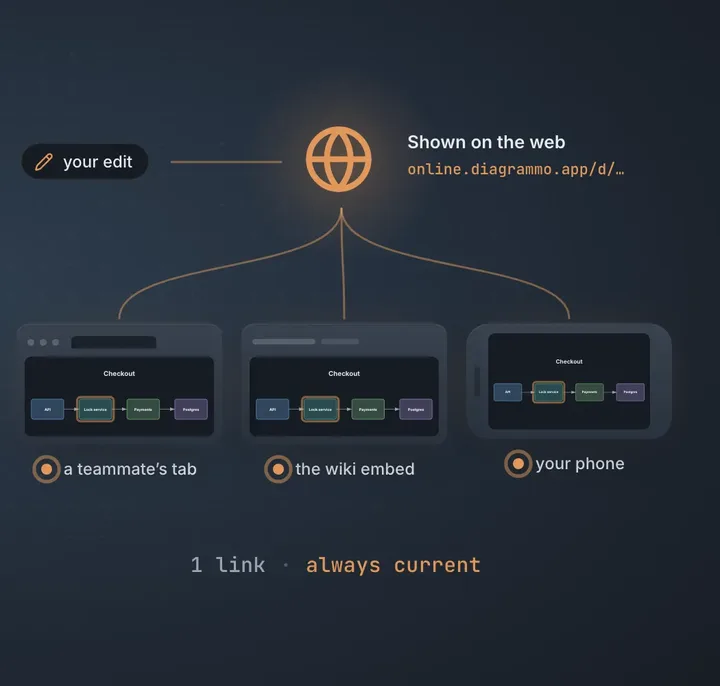
Free in the browser, with no account. There's a desktop app too, for files on your own disk.
Send to my computerAPI -reads-> DB is already a diagram. Add a line and the picture grows; change one and it redraws. There is no render button, and the same few words cover 50 chart types.
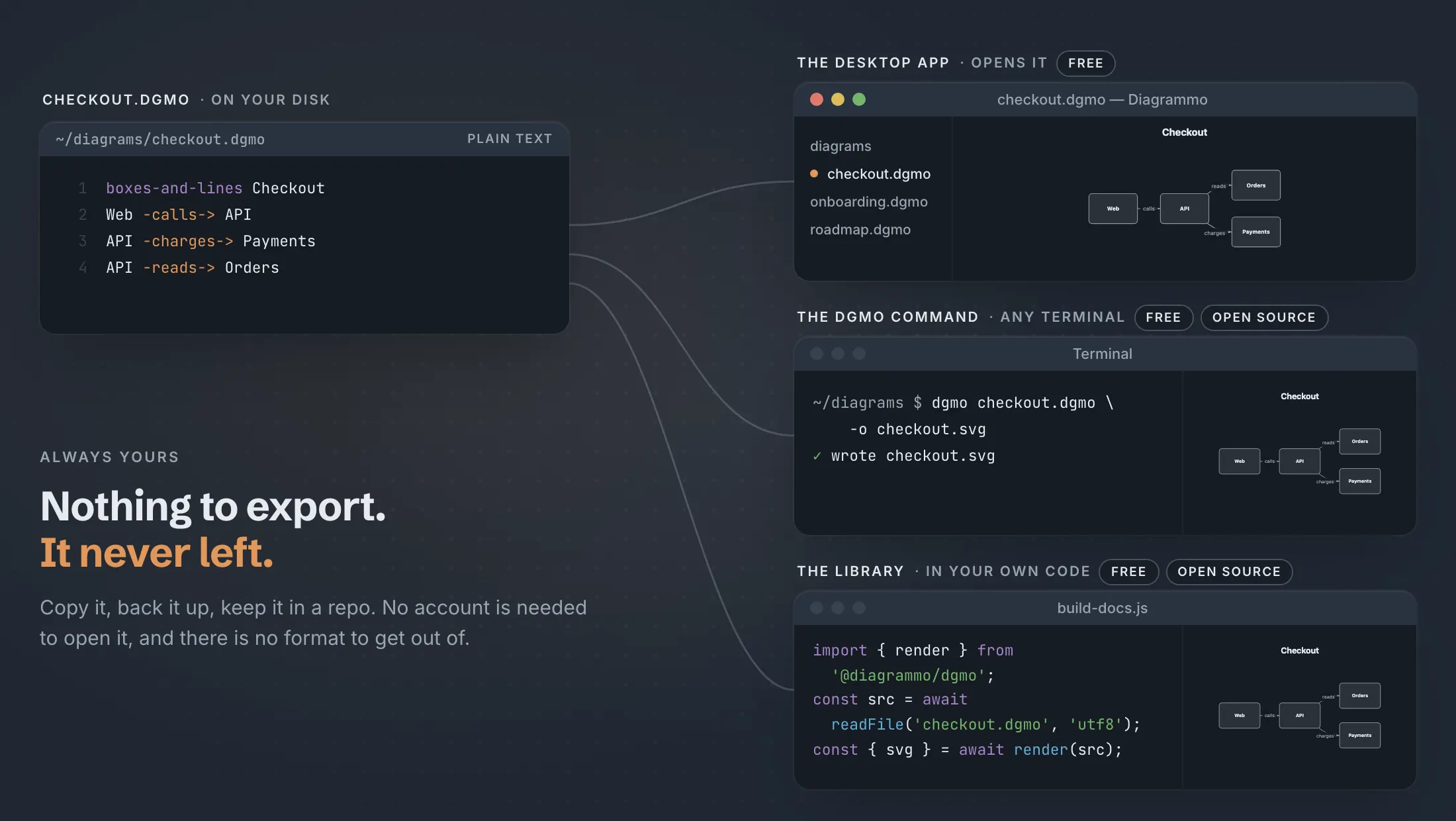
Every diagram is a few lines of plain text in a .dgmo file you keep. Open it in the desktop app, draw it with the dgmo command, or render it from your own code with the library. All three are free, and the command and the library are open source, so your work never depends on us. None of it needs a connection or an account: it works the same on a plane or behind a firewall.
Put dgmo, free and open source, in Claude Code, Codex, Cursor or Claude Desktop. Your assistant writes the lines, and they render to a real diagram you can read, edit and share, not an image it guessed at.
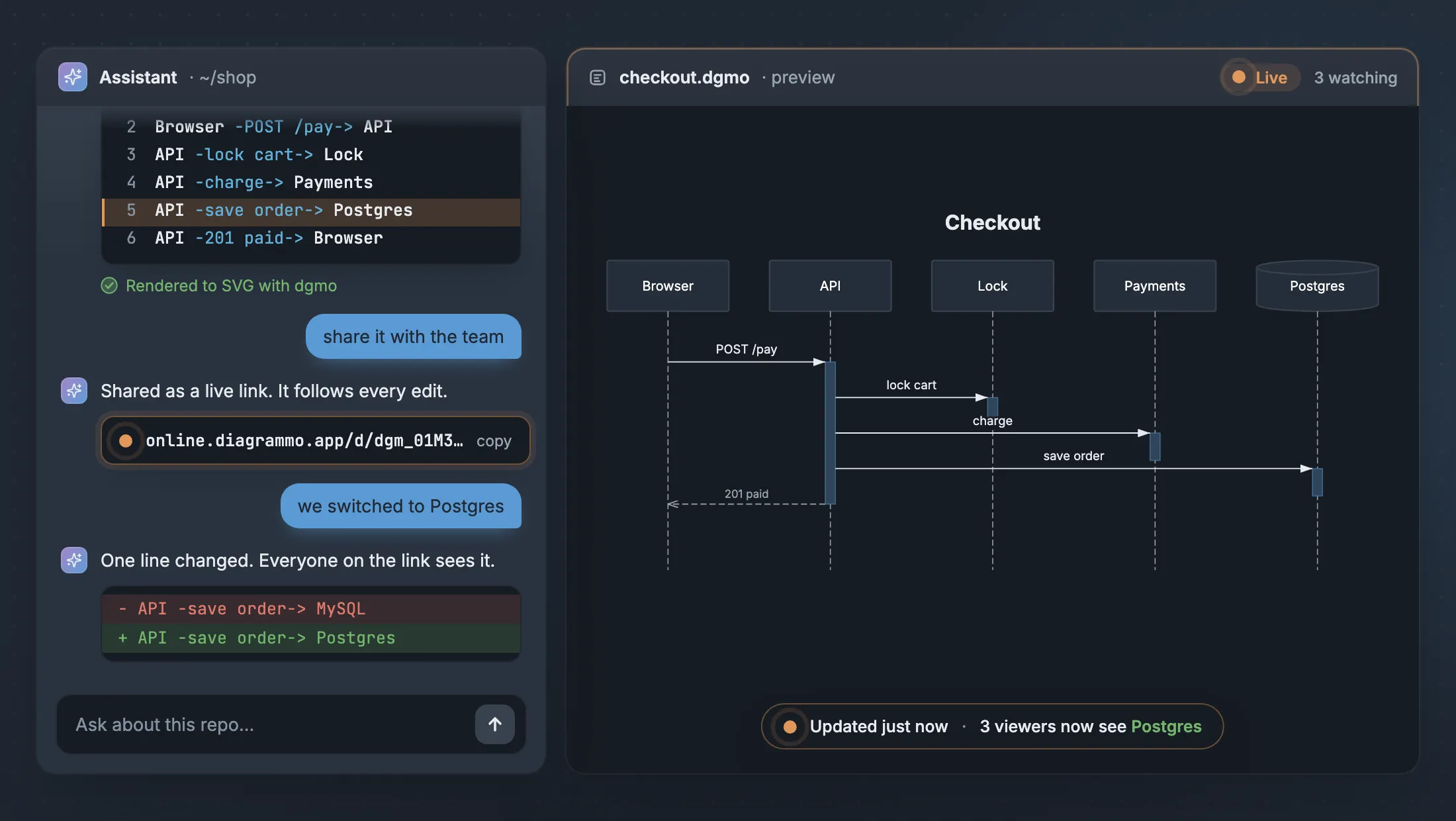
A picture is true the moment it leaves. Then the system changes, and every copy in the wiki, the deck and the PDF in somebody's inbox starts to disagree.
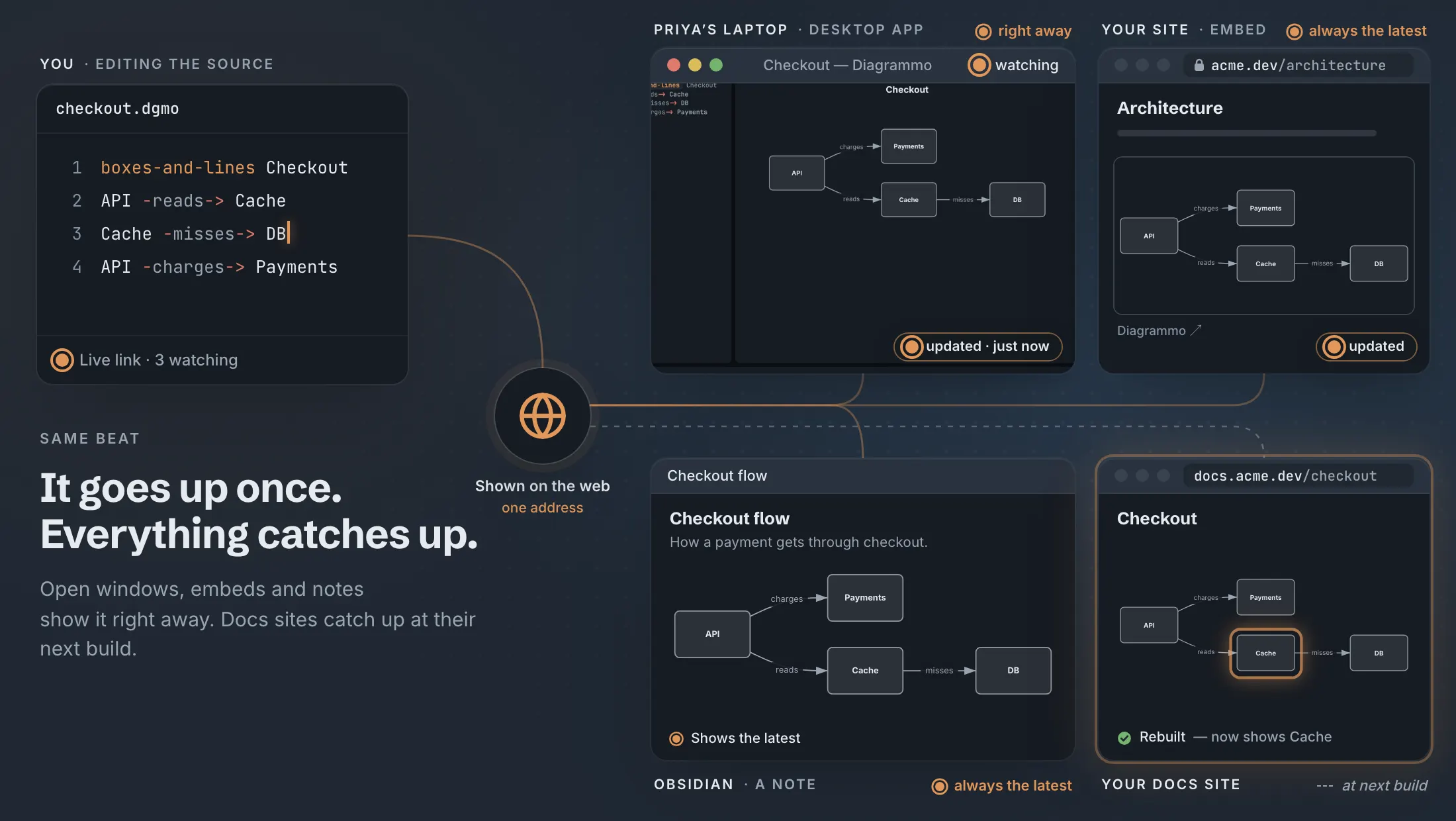
Your files stay yours. The link is how everyone else sees them. Show a diagram from your space on the web and it gets a live link: one address that always draws your latest version. Open windows, embeds and Obsidian notes show your edit, and docs sites catch up at their next build.
The desktop app is the same editor, with your files on your own disk. Neither one needs an account. On Omarchy? Install it with pacman.